Check the message before you post it.
SafeSend reads the draft you hand it — text and images — flags the private information inside, and lets you decide what to hide. Nothing is posted until you say so.
Adding an app to a server requires the Manage Server permission.
just moved in! new place is , hit me up on
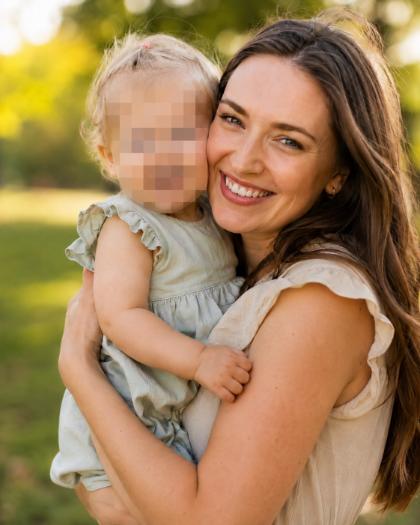

It sees your draft, nothing else
SafeSend does not read channel history and does not monitor anyone else's messages. It checks the one draft you hand it, and it answers where only you can see it.
You decide, not an admin
Nothing is deleted, blocked or altered on your behalf. Cancel, send anyway, hide everything, or go item by item and pick exactly what to hide.
We don't keep your information
Session artifacts are deleted when you finish or cancel, when the 15-minute review expires, or by scheduled cleanup within 24 hours. Your Discord account ID is stored only as a one-way keyed hash.
How SafeSend works
One command, and the decision stays with you.
Hand it your draft
Run /safe-send with your text and up to five images.
Read the private reply
A risk level, a score out of 100, and every issue found — with the exact text or image region it means.
Choose what happens
Cancel, Send Anyway, Protect All & Send, or Review Privacy to pick item by item.
It posts as you
Your display name, your avatar, and a “via SafeSend” label, so the channel knows who wrote it.
What it looks for
Six categories, in typed text and in attached images alike.
Contact Information
Phone numbers, email addresses
Identity & Document Details
Names in an identifying context, dates of birth, passport, driving licence, National Insurance, student and employee numbers
Location & Address
Home, delivery and billing addresses, streets with postcodes, hall-of-residence rooms
Medical Information
Diagnoses, prescriptions, NHS and patient numbers, test results
Financial Information
Card numbers, bank accounts, IBANs, salary, invoices
Faces & Recognisable People
Any visible face in an attached image
Your settings, not the server's
/privacy-settings sets each of the six categories to Off, Low, Medium or High. SafeSend only interrupts for the categories you asked it to watch, and the settings follow you between servers and sessions.
How it compares
Every other tool in this space watches everyone's messages and deletes them after the fact.
Measured, not claimed
Evaluated on a hand-annotated set of 300 Discord-style messages containing 262 labelled privacy items, split into a development half and a frozen test half. These figures come from the frozen half, which was never used while tuning the detector.
Public build
97.0%
Precision
92.9%
Recall
94.9%
F1
0% false alarms. No clean message produced a warning.
Per-category F1 ranges from 93.8% to 96.6% across the five text categories.
SafeSend combines local pattern rules with DeepSeek semantic classification. Attached images may be processed by Google Cloud Vision and Vertex AI Gemini for text, faces, and privacy-sensitive object regions.